Instructions for Congregation Accounting for Watchtower Electronic Funds Transfer (1997)
Download: PDF — Instructions for Congregation Accounting for Watchtower Electronic Funds Transfer (1997)
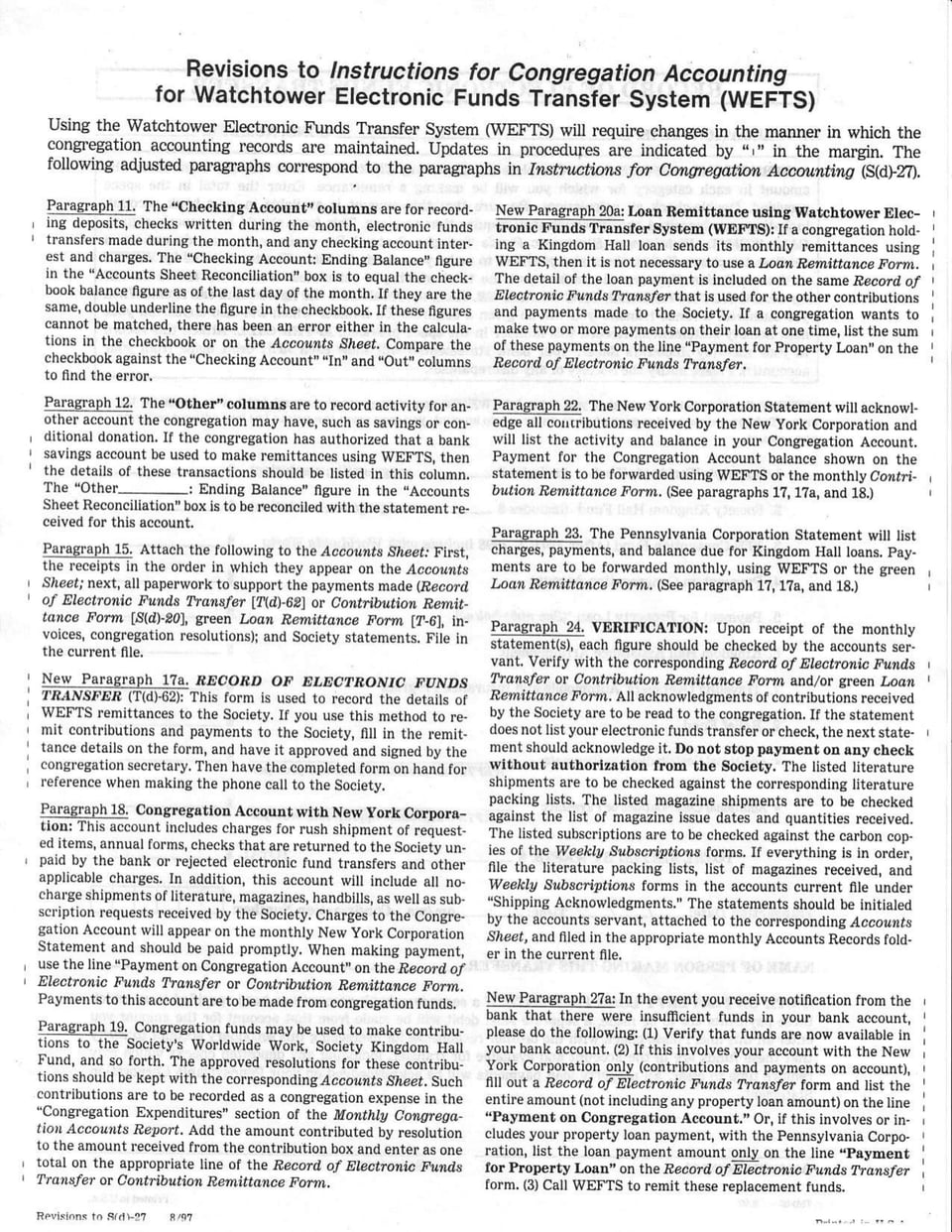
Revisions to Instructions for Congregation Accounting for Watchtower Electronic Funds Transfer System (WEFTS)
Using the Watchtower Electronic Funds Transfer System (WEFTS) will require changes in the manner in which the congregation accounting records are maintained. Updates in procedures are indicated by "1" in the margin. The following adjusted paragraphs correspond to the paragraphs in Instructions for Congregation Accounting (S(d)-27).
Paragraph 11. The "Checking Account" columns are for recording deposits, checks written during the month, electronic funds transfers made during the month, and any checking account interest and charges. The "Checking Account: Ending Balance" figure in the "Accounts Sheet Reconciliation" box is to equal the checkbook balance figure as of the last day of the month. If they are the same, double underline the figure in the checkbook. If these figures cannot be matched, there has been an error either in the calculations in the checkbook or on the Accounts Sheet. Compare the checkbook against the "Checking Account""In" and "Out" columns to find the error.
Paragraph 12. The "Other" columns are to record activity for another account the congregation may have, such as savings or conditional donation. If the congregation has authorized that a bank savings account be used to make remittances using WEFTS, then the details of these transactions should be listed in this column. The "Other___: Ending Balance" figure in the "Accounts Sheet Reconciliation" box is to be reconciled with the statement received for this account.
New Paragraph 20a: Loan Remittance using Watchtower Electronic Funds Transfer System (WEFTS): If a congregation holding a Kingdom Hall loan sends its monthly remittances using WEFTS, then it is not necessary to use a Loan Remittance Form. The detail of the loan payment is included on the same Record of Electronic Funds Transfer that is used for the other contributions and payments made to the Society. If a congregation wants to make two or more payments on their loan at one time, list the sum of these payments on the line "Payment for Property Loan" on the Record of Electronic Funds Transfer.
Paragraph 15. Attach the following to the Accounts Sheet: First, the receipts in the order in which they appear on the Accounts Sheet; next, all paperwork to support the payments made (Record of Electronic Funds Transfer [T(d)-62] or Contribution Remittance Form [S(d)-20], green Loan Remittance Form [T-6], invoices, congregation resolutions); and Society statements. File in the current file.
New Paragraph 17a. RECORD OF ELECTRONIC FUNDS TRANSFER (T(d)-62): This form is used to record the details of WEFTS remittances to the Society. If you use this method to remit contributions and payments to the Society, fill in the remittance details on the form, and have it approved and signed by the congregation secretary. Then have the completed form on hand for reference when making the phone call to the Society.
Paragraph 18. Congregation Account with New York Corporation: This account includes charges for rush shipment of requested items, annual forms, checks that are returned to the Society unpaid by the bank or rejected electronic fund transfers and other applicable charges. In addition, this account will include all nocharge shipments of literature, magazines, handbills, as well as subscription requests received by the Society. Charges to the Congregation Account will appear on the monthly New York Corporation Statement and should be paid promptly. When making payment, use the line "Payment on Congregation Account" on the Record of Electronic Funds Transfer or Contribution Remittance Form. Payments to this account are to be made from congregation funds.
Paragraph 19. Congregation funds may be used to make contributions to the Society's Worldwide Work, Society Kingdom Hall Fund, and so forth. The approved resolutions for these contributions should be kept with the corresponding Accounts Sheet. Such contributions are to be recorded as a congregation expense in the "Congregation Expenditures" section of the Monthly Congregation Accounts Report. Add the amount contributed by resolution to the amount received from the contribution box and enter as one total on the appropriate line of the Record of Electronic Funds Transfer or Contribution Remittance Form.
Paragraph 22. The New York Corporation Statement will acknowledge all contributions received by the New York Corporation and will list the activity and balance in your Congregation Account. Payment for the Congregation Account balance shown on the statement is to be forwarded using WEFTS or the monthly Contribution Remittance Form. (See paragraphs 17, 17a, and 18.)
Paragraph 23. The Pennsylvania Corporation Statement will list charges, payments, and balance due for Kingdom Hall loans. Payments are to be forwarded monthly, using WEFTS or the green Loan Remittance Form. (See paragraph 17, 17a, and 18.)
Paragraph 24. VERIFICATION: Upon receipt of the monthly statement(s), each figure should be checked by the accounts servant. Verify with the corresponding Record of Electronic Funds Transfer or Contribution Remittance Form and/or green Loan Remittance Form. All acknowledgments of contributions received by the Society are to be read to the congregation. If the statement does not list your electronic funds transfer or check, the next statement should acknowledge it. Do not stop payment on any check without authorization from the Society. The listed literature shipments are to be checked against the corresponding literature packing lists. The listed magazine shipments are to be checked against the list of magazine issue dates and quantities received. The listed subscriptions are to be checked against the carbon copies of the Weekly Subscriptions forms. If everything is in order, file the literature packing lists, list of magazines received, and Weekly Subscriptions forms in the accounts current file under "Shipping Acknowledgments." The statements should be initialed by the accounts servant, attached to the corresponding Accounts Sheet, and filed in the appropriate monthly Accounts Records folder in the current file.
New Paragraph 27a: In the event you receive notification from the bank that there were insufficient funds in your bank account, please do the following: (1) Verify that funds are now available in your bank account. (2) If this involves your account with the New York Corporation only (contributions and payments on account), fill out a Record of Electronic Funds Transfer form and list the entire amount (not including any property loan amount) on the line "Payment on Congregation Account." Or, if this involves or includes your property loan payment, with the Pennsylvania Corporation, list the loan payment amount only on the line "Payment for Property Loan" on the Record of Electronic Funds Transfer form. (3) Call WEFTS to remit these replacement funds.
RECORD OF ELECTRONIC FUNDS TRANSFER
CONGREGATION NAME:
CONG. NUMBER:
INSTRUCTIONS: BEFORE CALL: Complete this Record of Electronic Funds Transfer form. Enter the amount in each category for which you will be making a remittance. Enter the total in the space provided. Double-check all calculations. Be sure that this amount is available in your bank account, including any deposited checks which may require time to clear. This form should be properly signed. CALL WEFTS: (Watchtower Electronic Funds Transfer System) For security reasons, do not use a cordless telephone. Follow the script provided to make your funds transfer. The total stated by WEFTS at the conclusion of your call should equal the total which you calculated. If the two totals do not agree, DO NOT AUTHORIZE THE TRANSFER. Hang up, recalculate the figures, and call again. When you authorize a funds transfer you will be given a confirmation number which will also appear on your next Society statement(s). Record this number in the space provided. AFTER CALL: Attach this record to your monthly Accounts Sheet. Your bank statement(s) will show each ACH debit made from your account(s). Please notify the Society of any discrepancies.
NOTE: Following each amount that you enter into WEFTS you must press the pound (#) key to complete the entry. To bypass a particular prompt or to enter a zero amount, you may press the pound (#) key without entering any amount.
Society's Worldwide Work (includes congregation resolution)
Society Kingdom Hall Fund (includes congregation resolution)
1998 Convention Fund (After April 1, 1998 include with Worldwide Work) $ ___
Payment on Congregation Account $ ___
Payment for Property Loan $ ___
Kingdom Hall Assistance Arrangement $ ___
Traveling Overseers' Automobile and Insurance Program $ ___
Relief Fund $ ___
Additional Contributions or Payments: $ WEFTS will provide appropriate prompts
Additional Contributions or Payments:
TOTAL STATED BY WEFTS: TOTAL
Transaction Date: // Time: :___ am/pm Confirmation Number:
NAME OF PERSON MAKING THIS TRANSFER:
*NOTE ON PROPERTY LOAN PAYMENTS: If a secondary bank account has been specified from which these payments are to be made, a separate ACH debit will be made from that account for the amount you enter on this line. Please check with the brother responsible for overseeing this secondary account to verify that these funds are in the account and available for transfer, including any deposited checks which may require time to clear. All property loan payments will be acknowledged on your Pennsylvania Corporation Statement.
INSTRUCTIONS FOR WATCHTOWER ELECTRONIC FUNDS TRANSFER SYSTEM
GENERAL INSTRUCTIONS
Watchtower Electronic Funds Transfer System (WEFTS) is available 24 hours a day,7 days a week.
When making the call, please have the Record of Electronic Funds Transfer Form (T(d)-62) filled out and this script with you for reference.
Verify sufficient funds are available for transfer, including time for deposited checks to clear.
You must use a touch-tone telephone. For security reasons do not use a cordless phone.
All amounts are entered in dollars and cents followed by the pound key (#). For example, to enter $5.03, you would press "503#".
To enter a zero amount or bypass a prompt, simply press the pound key (#).
For faster entry, once you identify the prompt, you may enter the amount without listening to the complete message.
If you hang up before authorizing the funds transfer, it is simply cancelled. No transaction will occur.
To exit the system or complete the funds transfer, press the star key () after the standard prompts are played. WEFTS will indicate the point from which the () key may be used.
Always record the confirmation number given after you authorize any transfer. If it is necessary to contact the Society about a transfer, you will need this confirmation number.
In the event of a rejection of the funds transfer due to insufficient funds in your bank account, please refer to the Revisions to S(d)-27 New Paragraph 27a for further instructions.
WHAT DOES IT MEAN WHEN I HEAR...
The information you have entered is invalid."
An incorrect congregation number or an incorrect authorization code was entered; try entering the information again.
"We are sorry you are experiencing difficulties. Please contact the Society's offices during regular working hours."
After three opportunities to enter the correct congregation number and authorization code, you will hear this message if you still have not entered a valid combination. If you feel that you have been entering the correct information, you will need to contact the Society's offices so we can determine why you are not able to use the Watchtower Electronic Funds Transfer System.
No transfer will be made."
You did not enter any donation or payment amounts to be transferred.
[ ] "Thank you for calling the Watchtower Electronic Funds Transfer System. We regret that the system is not available. Please try again at a later time."
WEFTS is not available due to a temporary problem. Try calling a few hours later.
A busy signal.
Try calling again. If you continue to hear a busy signal, try calling a few hours later.
"Hello and welcome to the Watchtower Electronic Funds Transfer System."
"Please enter your congregation number followed by the pound key (#)."
123456#
"The congregation number you entered is one, two, three, four, five, six."
"If this number is correct, press 1. To reenter the congregation number, press 2."
"Please enter your four digit authorization code." (Pound key (#) not required.)
"To donate to the Society's Worldwide Work, please enter the amount in dollars and cents followed by the pound key (#)."
"For example, to enter five dollars and three cents press five, zero, three, pound key (#)."
503#
"You have entered five dollars and three cents to be donated to the Society's Worldwide Work. If this amount is correct, press 1. To reenter this amount, press 2."
"To exit or complete your funds transfer, press the star key (*)."
"To enter other donations or payments, press 1."
"Please make a selection from the following items:" "To revise the donation to the Society's Worldwide Work, press 1." "To donate to the Society Kingdom Hall Fund, press 2." "To donate to the 1998 Convention Fund, press 3." (You will only hear the following menu prompt if a balance is due on your congregation account.) "To enter a payment on your Congregation Account, press 4." (You will only hear the following menu prompt if your congregation is holding a Kingdom Hall loan with the Society.) "To enter a payment for your property loan, press 5." "To donate to the Kingdom Hall Assistance Arrangement, press 6." "To donate to Traveling Overseer's Automobile & Insurance Fund, press 7." "To donate to the Relief Fund, press 8." "To exit or complete your funds transfer, press the star key (*)." "To repeat these selections, press 0." "To revise any donation or payment amount you may re-select the appropriate item."
"Your total contribution is five dollars and three cents."
"To authorize this amount to be immediately transferred from your congregation bank account, press 1. To cancel your funds transfer, press 2. To reenter any amounts, press 9."
"Please make a notation of the following confirmation number: 1..2..3..4..5..6."
"To repeat the confirmation number, press any key."
"Thank you for calling, good-bye."
You will be greeted and prompted for your congregation number and authorization code.
The authorization code will not be played back.
Next, you will hear a series of prompts for donations and payments.Each will follow the same format.
On the first prompt only, you will be given an example.
After completing standard prompts for donations and payments, you will be given the opportunity to enter other contributions.
Now you will hear the main menu. At times, the Society may establish special donation funds and add them to the menu. The order and number of the menu items will be subject to change.
If you have already entered an amount for a fund, the menu prompt will say "To revise the donation" instead of "To donate."
To complete your funds transfer, press the star key ( ).
O